![Apollo_Logo_img only.png]](https://help.apollo.ai/hs-fs/hubfs/Apollo_Logo_img%20only.png?height=40&name=Apollo_Logo_img%20only.png)
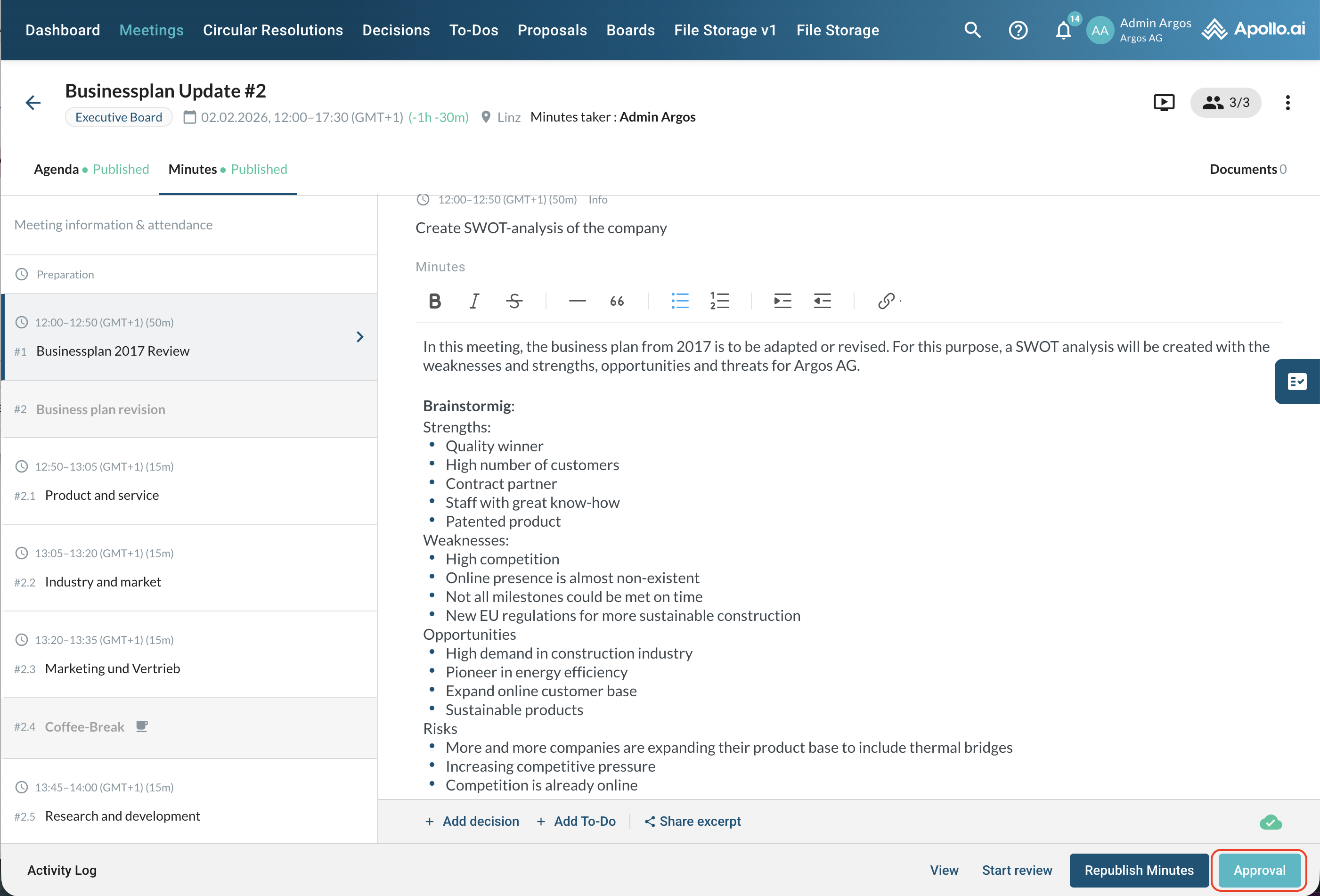
When the meeting minutes are ready to be finalised, you can proceed by clicking on "Approval" in the bottom-right corner in the meeting editor mode:
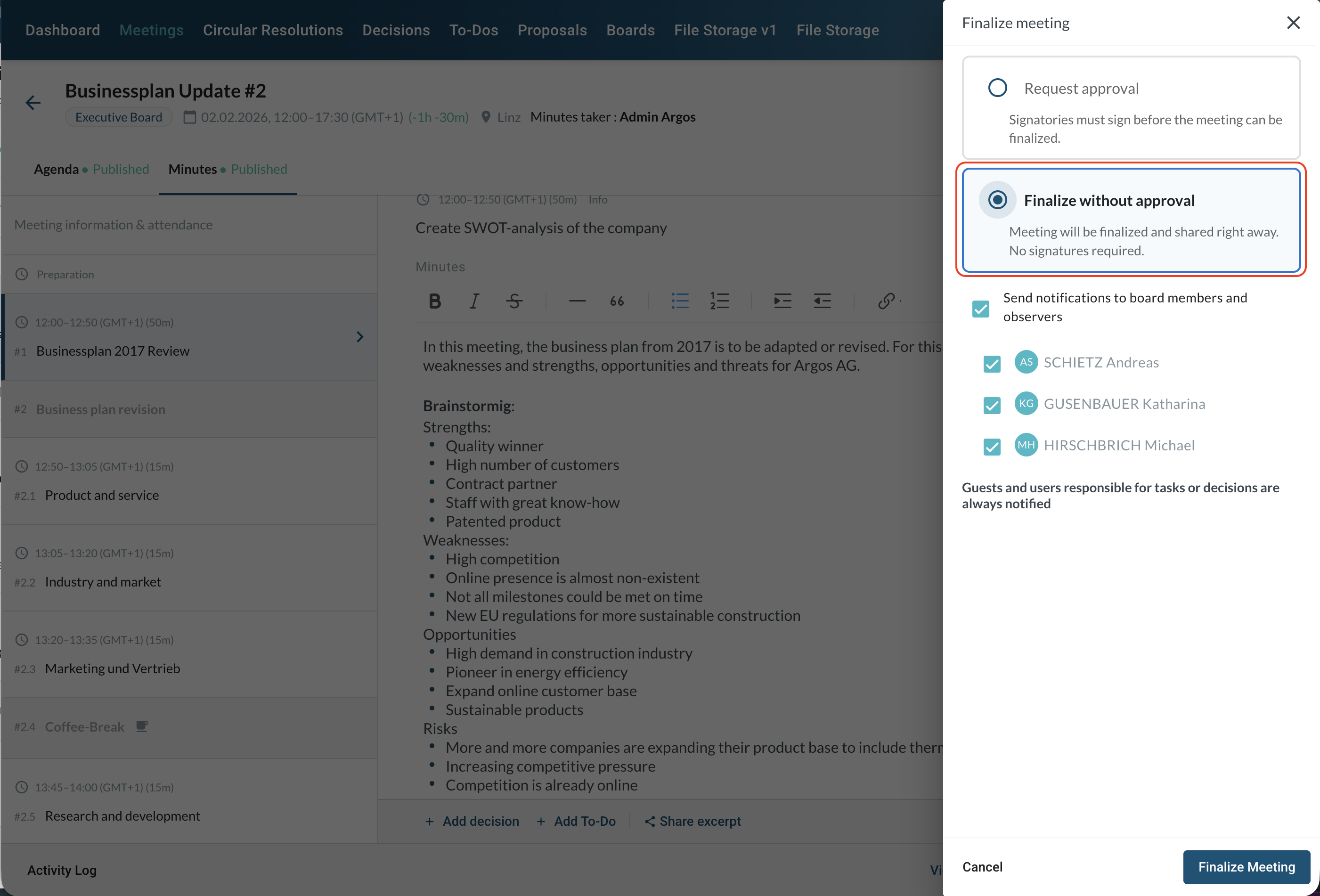
Select "Finalize without approval" in the sidebar:
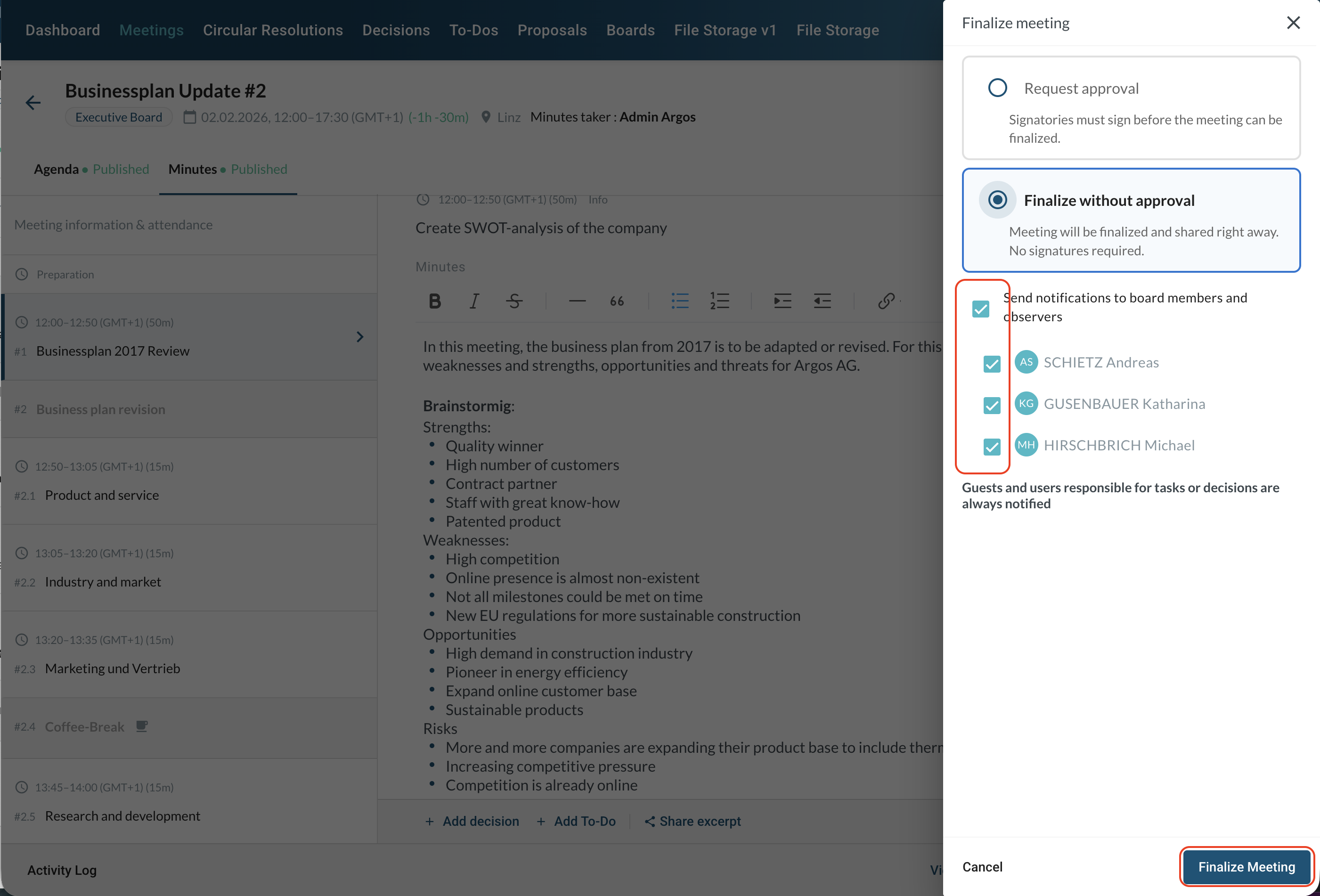
Select the participants who should receive a notification, then confirm by clicking on "Finalize meeting" at the bottom:
Your meeting is now in "Final" state:
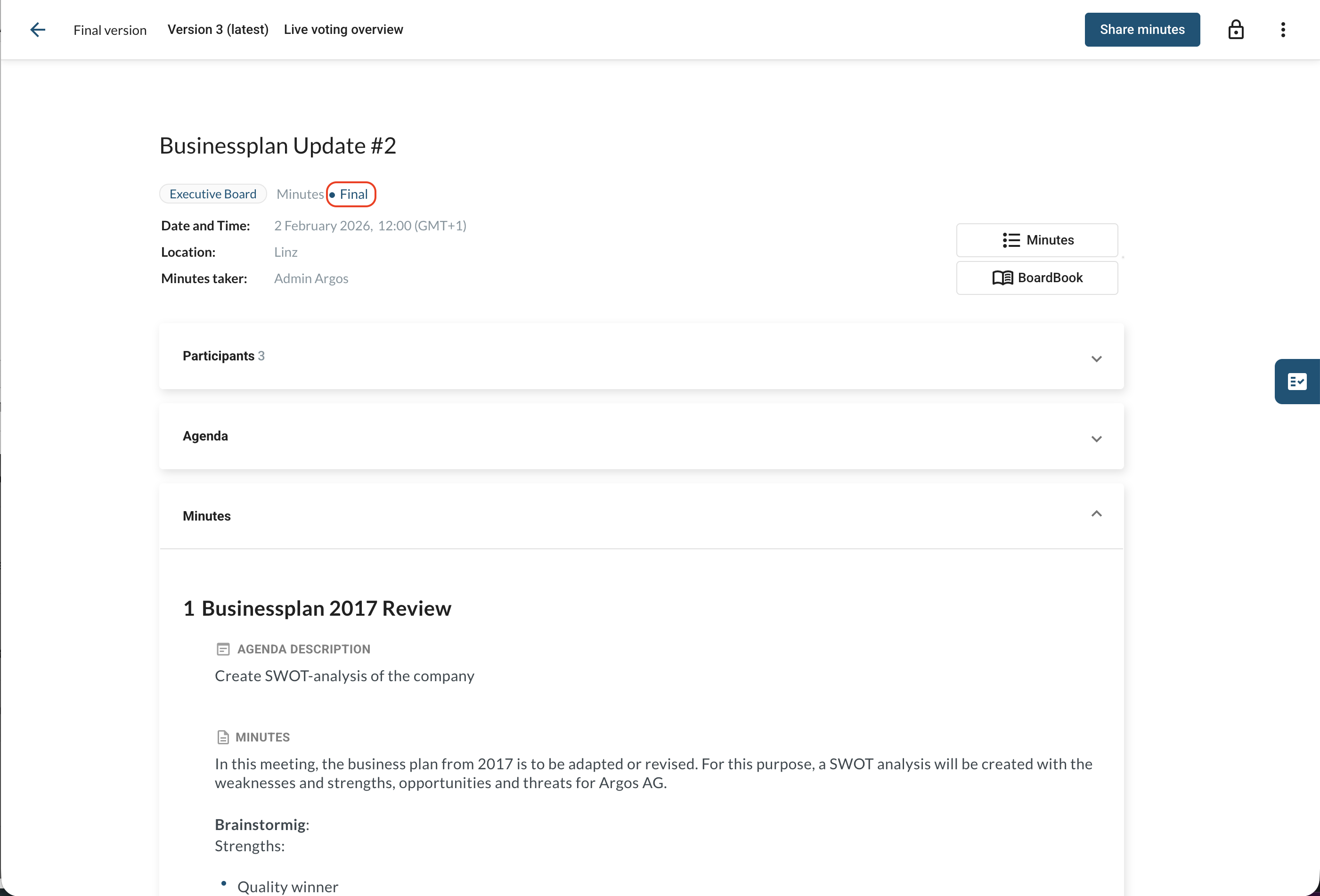
You are ready to share the minutes with board-externals if needed.