![Apollo_Logo_img only.png]](https://help.apollo.ai/hs-fs/hubfs/Apollo_Logo_img%20only.png?height=40&name=Apollo_Logo_img%20only.png)
To generate a PDF file for the current version of the agenda, click on 'Preview' in the agenda editor mode, then on 'Generate PDF':
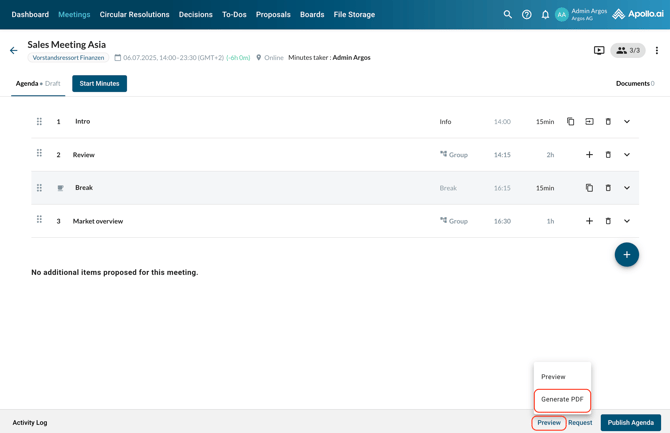
The PDF file is generated in the background and downloaded automatically as soon as ready.
To generate a PDF file for the current version of the minutes, click on 'View' in the minutes editor mode, then on 'Generate PDF':
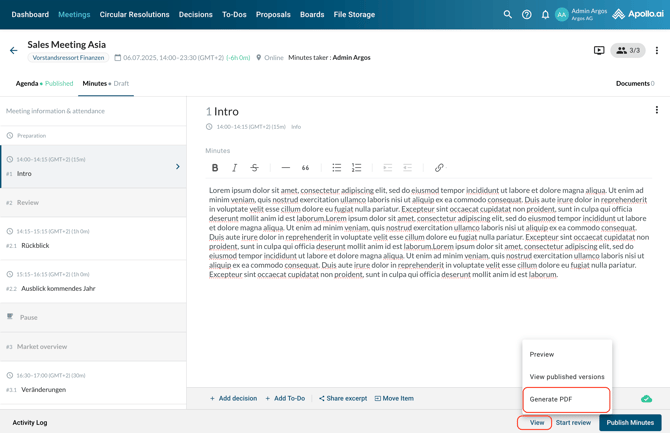
The PDF file is generated in the background and downloaded automatically as soon as ready.