![Apollo_Logo_img only.png]](https://help.apollo.ai/hs-fs/hubfs/Apollo_Logo_img%20only.png?height=40&name=Apollo_Logo_img%20only.png)
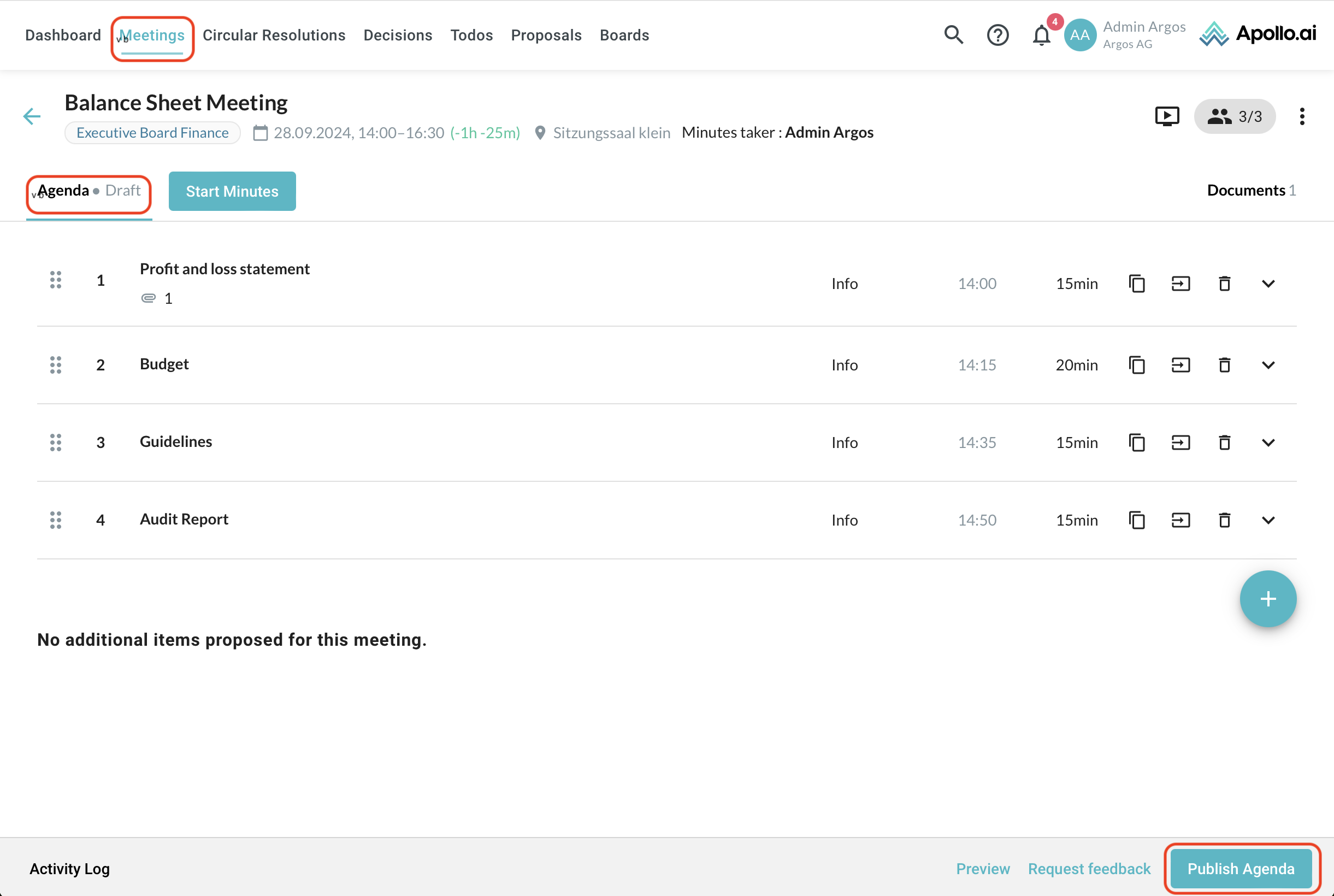
After a meeting is created, you can publish the agenda and the documents attached to it anytime. In the agenda editor, click on "Publish agenda" in the bottom-right corner:
Decide which participants you would like to notify, add a message if necessary, choose whether or not to include the attached documents, and confirm the process by clicking on "Publish" at the bottom:
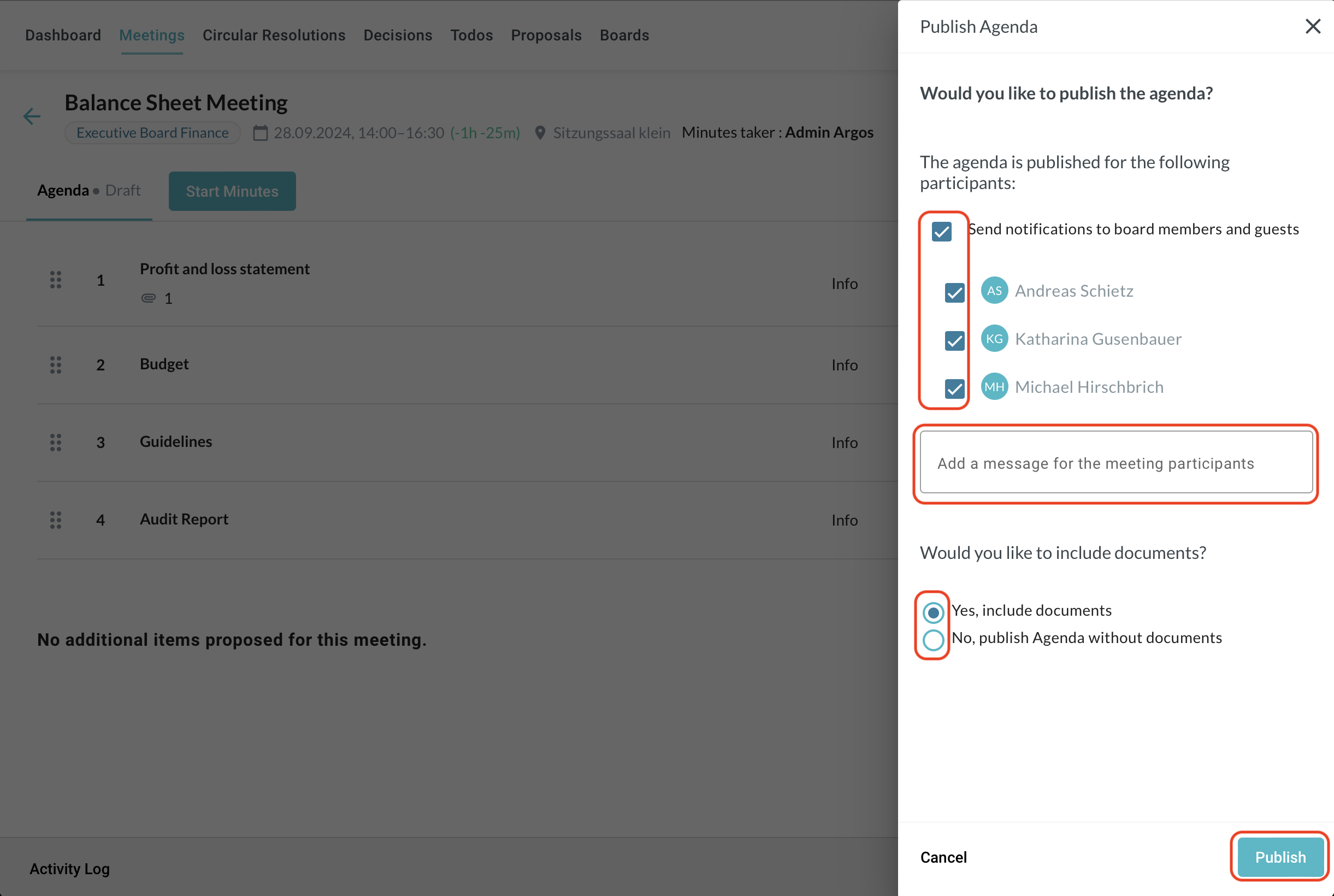
The agenda is published and the participants are automatically informed based on your previous selection.