![Apollo_Logo_img only.png]](https://help.apollo.ai/hs-fs/hubfs/Apollo_Logo_img%20only.png?height=40&name=Apollo_Logo_img%20only.png)
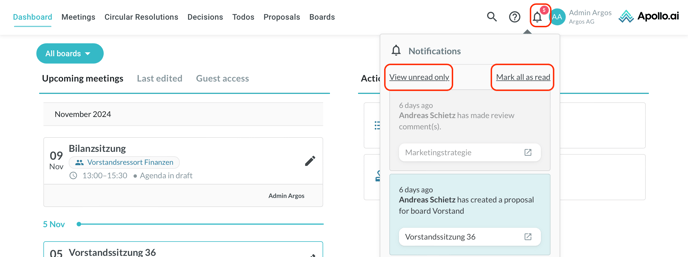
You can see your current notifications anytime by clicking on the corresponding symbol in the top-right corner. You have the option to show all notifications, go back to "unread only", or mark all notifications as read. The unread items are marked in blue, whereas the read ones are marked in grey: