![Apollo_Logo_img only.png]](https://help.apollo.ai/hs-fs/hubfs/Apollo_Logo_img%20only.png?height=40&name=Apollo_Logo_img%20only.png)
Note: If you are looking for the 1-step circular resolution process instead, please go to this article.
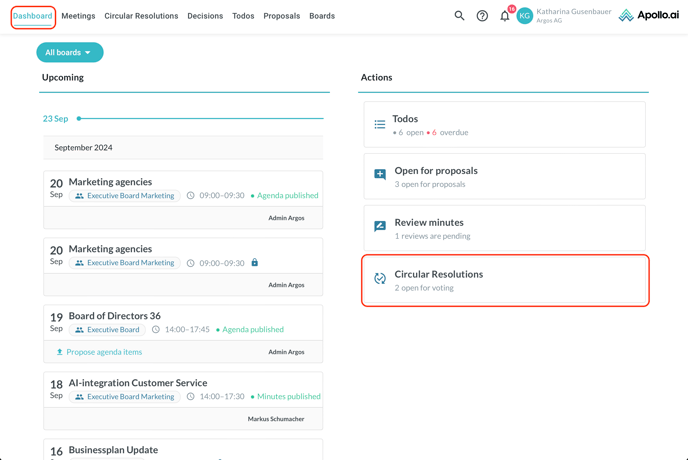
As a Board Member, you can participate in circular resolutions, which represent a quick and easy way to take decisions. Once you are requested to vote on a circular resolution, you will see the corresponding action card in your dashboard:
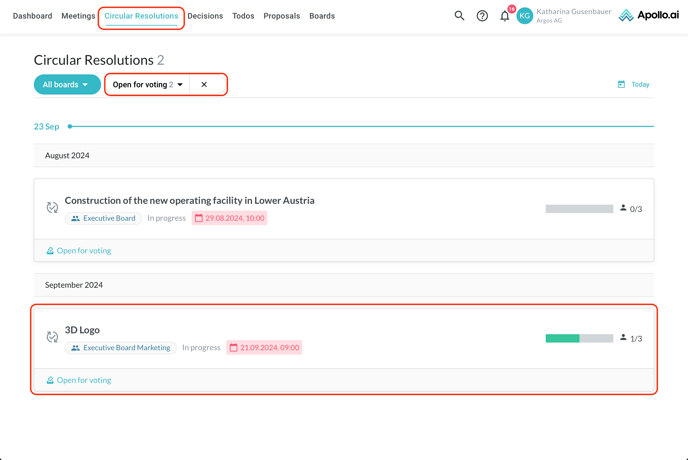
After clicking on the action card, you are redirected to the "Circular resolutions" tab, filtered by "Open for voting". Select a circular resolution from the list to vote:
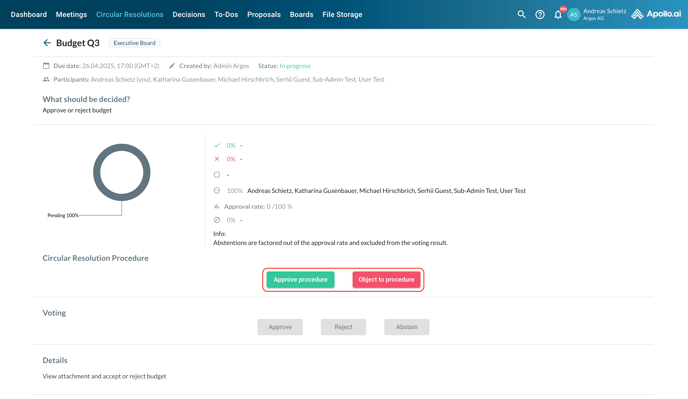
All the related information and any attached documents are shown on the following page, as well as the real-time voting progress.
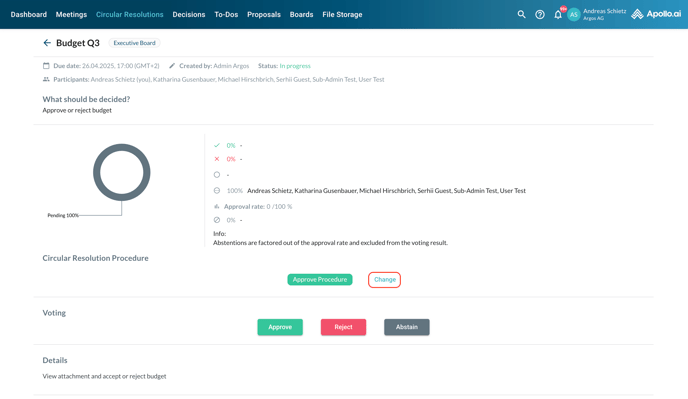
The first step requires you to approving or object to the circular resolution procedure. Select your choice between the corresponding buttons:
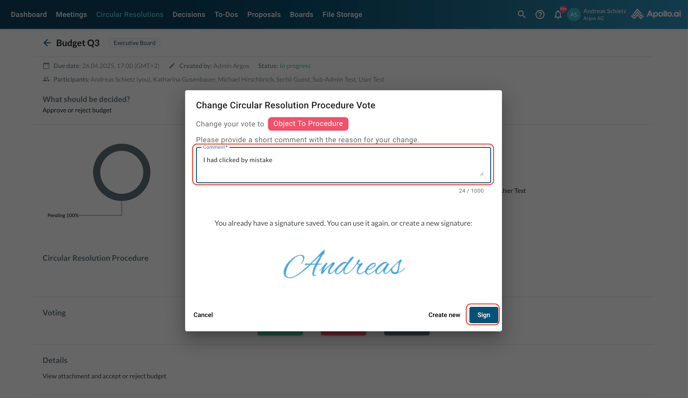
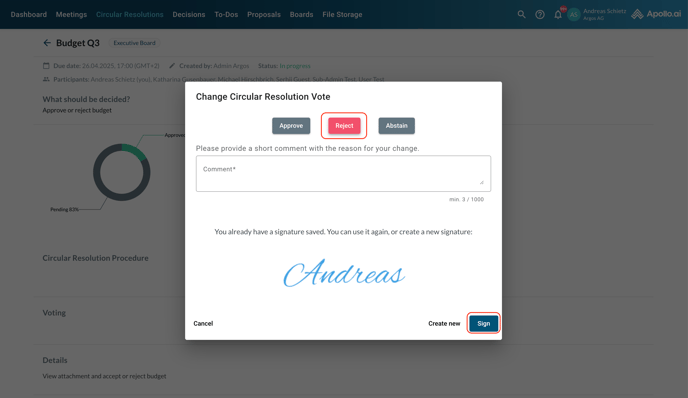
If you select the wrong option by mistake, you can still change it to the other option, however you will be required to add a comment on the reason for the change:
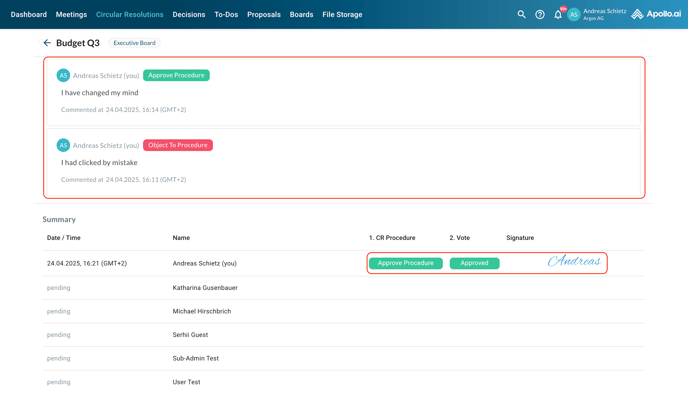
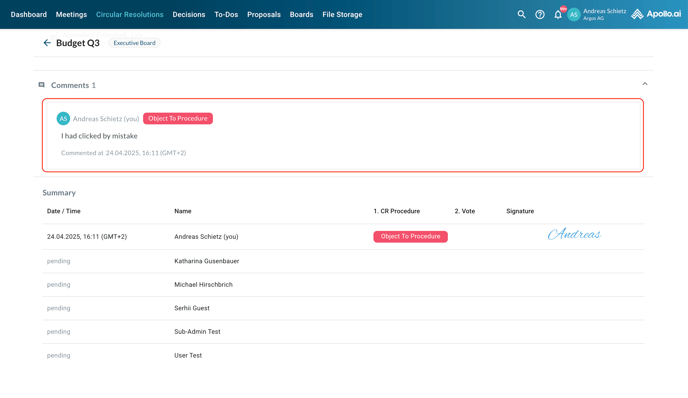
All comments are visible anytime by scrolling down to the bottom of the circular resolution page:
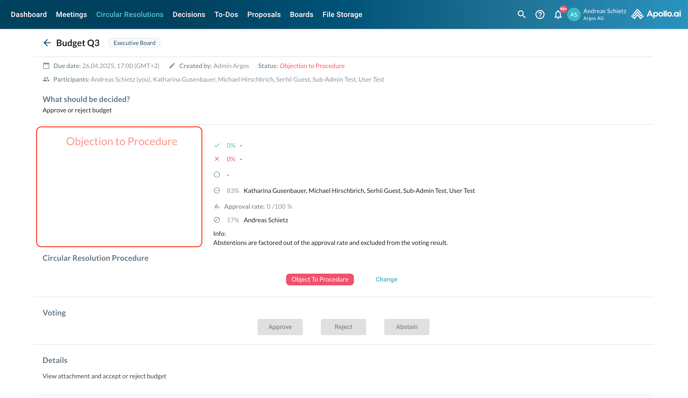
If you object to the procedure, the circular resolution process is completed for you. The pie chart on the voting progress will not be shown, however you can still see the votes by the other board members on the right side of the page:
If you approve the procedure, you can continue to the second step.
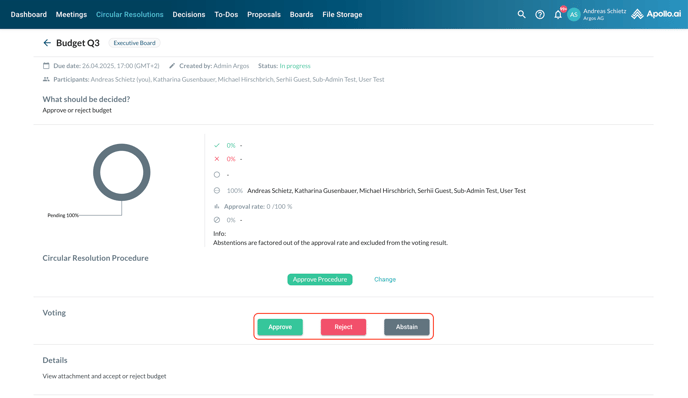
The second step requires you to approve, reject, or (if the corresponding setting is enabled) abstain from voting on the contents of the circular resolution. Your can cast your vote by clicking on the corresponding button:
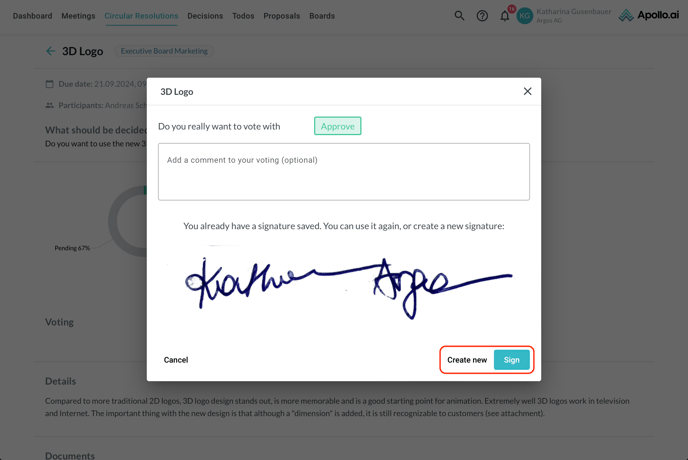
Confirm your choice and sign your vote if required (based on the resolution settings). You can choose to either create a new signature or use the existing one:
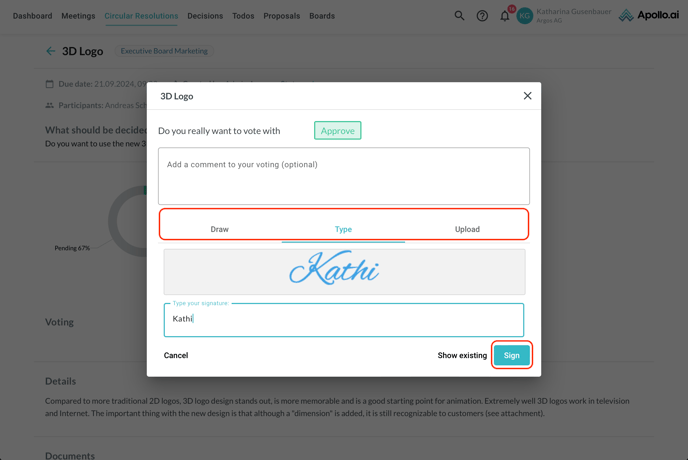
If you choose to create a new signature, you will have to pick whether to draw, type, or upload it next:
After voting on the circular resolution content, you can still change your vote to a different option if needed, however you cannot change your approval to the circular resolution process any longer:
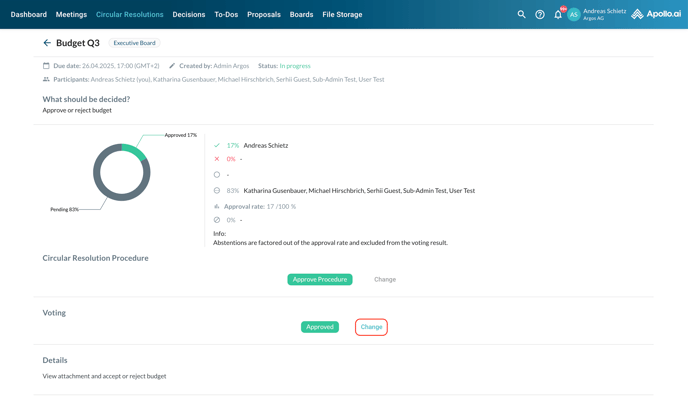
The voting overview is automatically updated with your vote. All the signatures submitted up to that moment as well as any comments can be found in the "Signatures" section at the bottom of the resolution. The column "CR procedure" shows the approvals/objections related to the procedure, whereas the column "Vote" shows the approvals/rejections/abstentions related to the contents: