
Generate meeting minutes and actions from the AI transcript
From the AI meeting transcript you can generate a:
- Conversation protocol → a grammatically and syntactically clean version of the transcript without any loss of content, written in third person;
- Summary → a short version highlighting the key discussion points and skipping secondary content, written in third person.
In both cases, the AI generates the desired output by agenda item and also adds suggestions for decisions and to-dos to create in the system, based on the next steps discussed in the meeting.
You will be able to edit the output at a later step.
Once done editing the transcript, select your preferred output type, then click on "Generate" in the bottom-right corner:
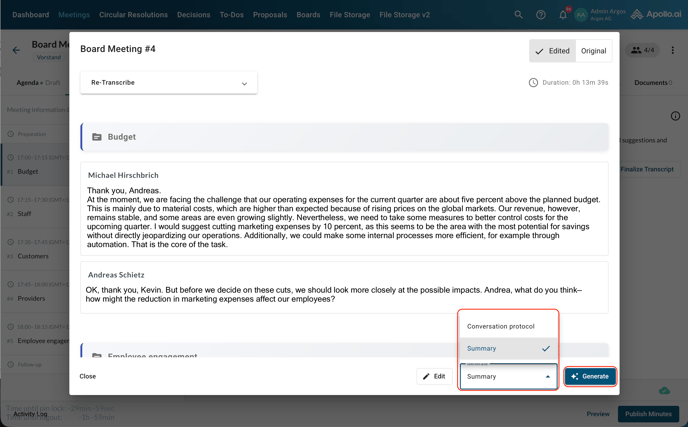
If you wish to create both a summary and a conversation protocol, simply come back to this step after the first round, select the other output type, and click on "Generate" again. The new output will be appended to the existing one and no suggestions will be overwritten.
You can track the progress in the sidebar:
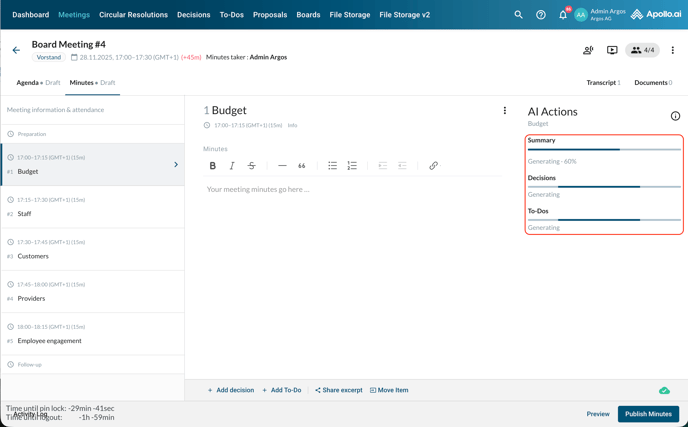
Once the generation process is completed, you will see the output in the sidebar. Accept the conversation protocol/summary in order to move it to the editor and be able to edit it. Click on "Read more" to expand it:
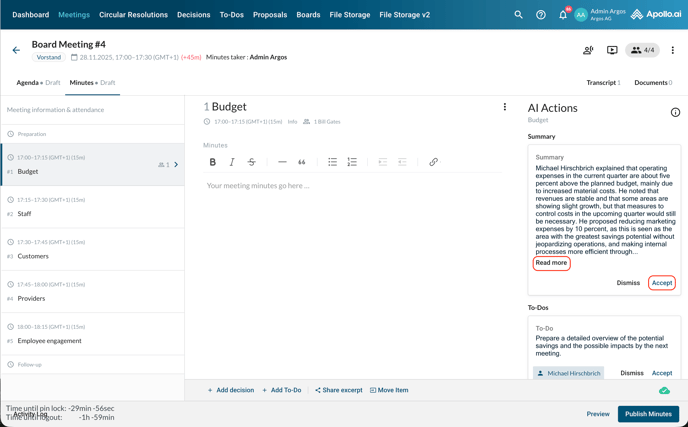
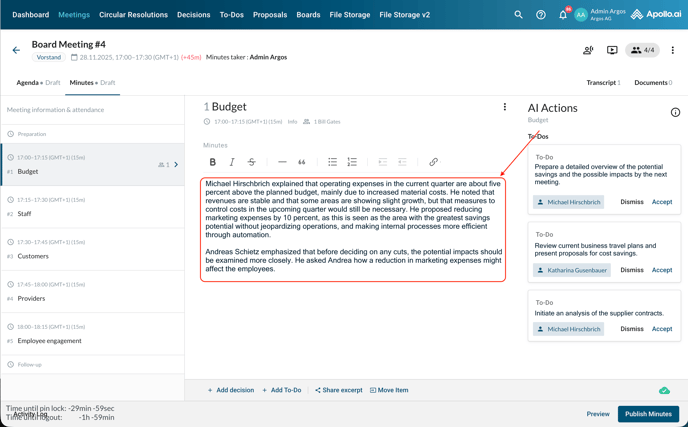
Proceed by accepting or dismissing the decision and to-do suggestions. If you accept them, you can edit the description, assignee, and deadline before saving them:
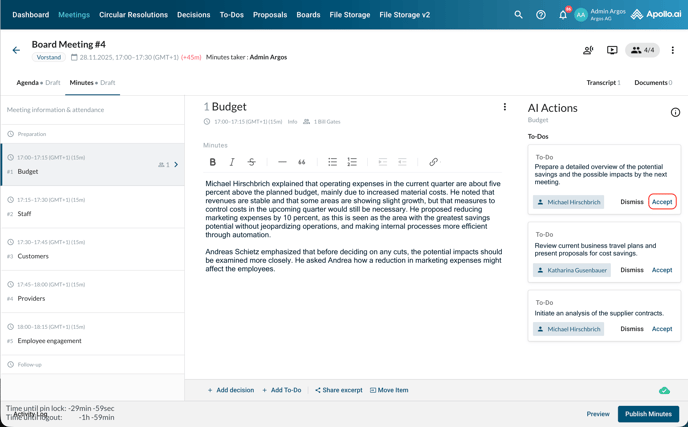
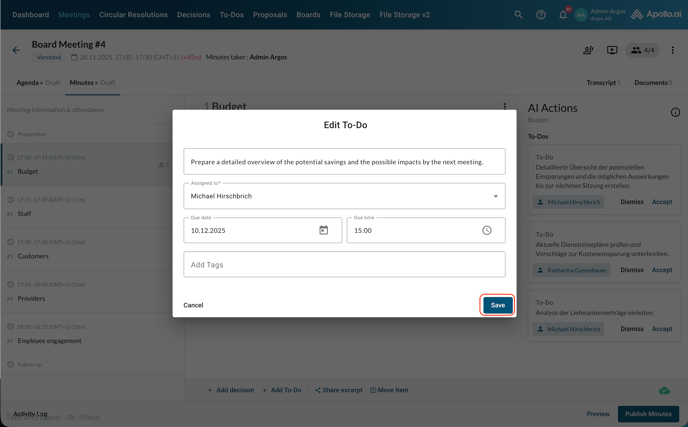
Repeat the process for each agenda item.
You can add further decisions or to-dos manually as well as edit the accepted suggestions at any time.
Once done, you are ready to publish the meeting minutes or start the review process.